top of page

Touchpulse's Guide to Tiera - How to Search for a Location, Add a Location to your Favorites

  • Apr 21
  • 1 min read

Welcome to Touchpulse’s Guide to Tiera. In this guide, we’ll walk you through Tiera step by step, showing you how to use it to navigate safely and confidently to your destination.

First things first; how do you begin your journey?


White text over a dark background: 'Touchpulse's Guide to: Tiera', with the yellow Tiera logo. Beneath this, in white text: 'How do I begin my journey?', and beneath this, screenshots of elements in the Tiera app: the search bar, the favorites button, and the blue call button that calls the Tiera AI. A white square outline outlines all of these elements. A black and white cut-out image of hand pointing to the search bar. In the distance, a faint black and white image of a hand holding a phone, while the other hand presses something on the phone screen.


You can begin your journey by telling Tiera where you want to go. This can be done by searching for your destination in the search bar at the top of the screen, or by using Tiera AI to speak your destination aloud. To do this, simply tap the blue phone icon at the bottom of the screen.


Heading somewhere you visit often? Add it to your Favorites, so it’s always just one tap away.
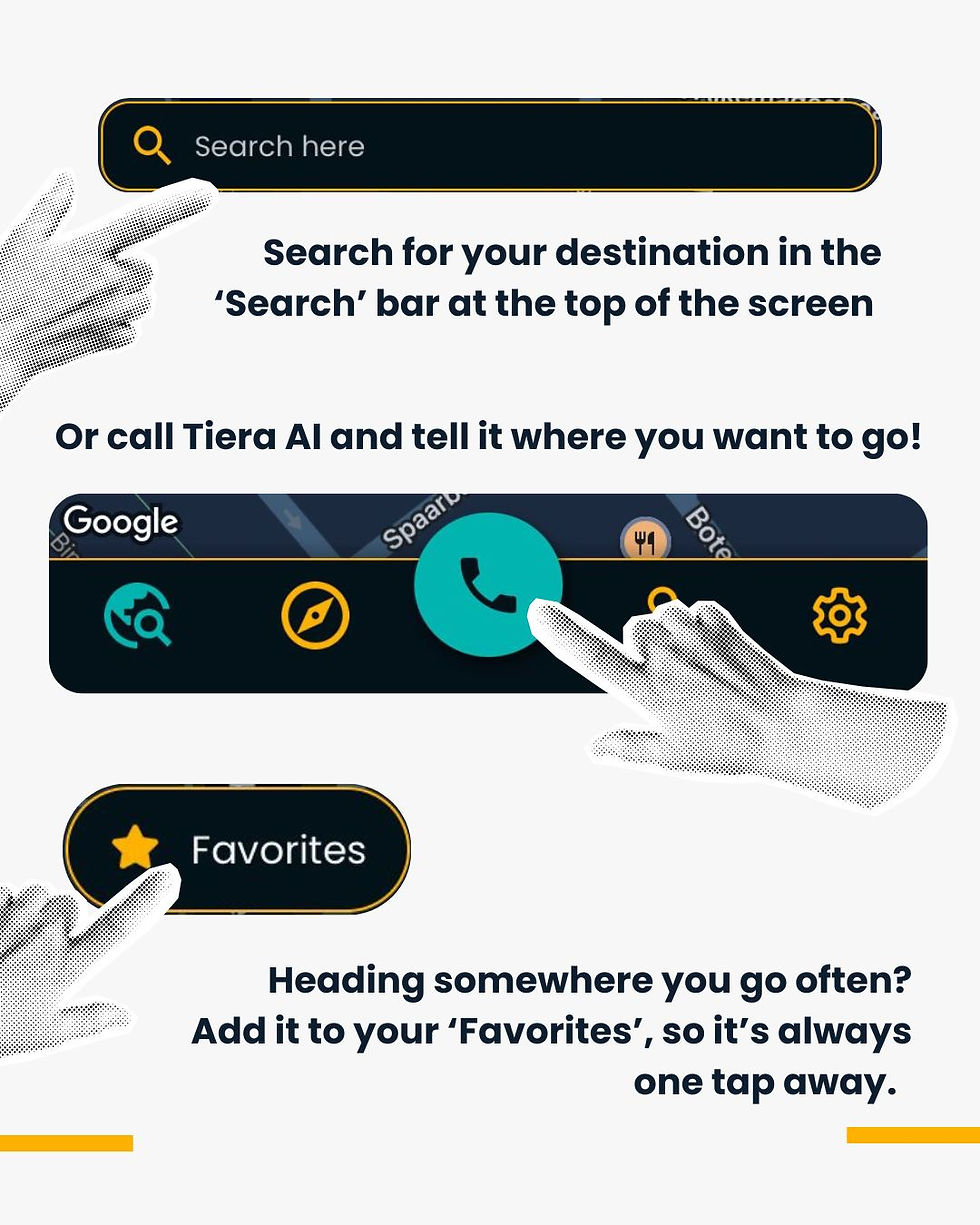

A white background with black text. At the top, a screenshot of the Tiera search bar, with a black and white cut-out image of a hand pointing towards it. Underneath: "Search for your destination in the 'Search' bar at the top of the screen". Below, "Or call Tiera AI and tell it where you want to go!" Underneath, a screenshot of the bottom of the Tiera home screen, where you can see the blue button with a black phone motif that will call Tiera AI. The same black and white cut-out hand pointing to this button. Below, a screenshot of the Favorites button, with the hand pointing towards it. Below: "Heading somewhere you go often? Add it to your 'Favorites', so it's always a tap away".

Discover Tiera. Keep reading Touchpulse's Guide to Tiera for more tips on how to navigate with Tiera!

Comments


bottom of page